Just bought my first mechanical keyboard, and I'm not sure if it has key chatter or some other problem?

Hi, everyone!

Recently, a few days ago, I bought my first mechanical keyboard (the Epomaker Galaxy 100), and while I’m pleased with the way it looks, sounds, and feels, I’ve noticed that sometimes, during regular use while I’m typing, some of the keys pressed will register twice (i.e., it prints out two letters instead of one).

From what little Googling I did, the issue seems to point to something known as “key chatter”, but I have no idea if this really is the case or not.

Now, the reason I say that is because this issue tends to happen intermittently, so I’m not able to figure out how to consistently reproduce the problem.

Whenever I go to online keyboard chatter test websites (like this one, or this one, or this one, or this one) and test each individual key for chatter (usually for 100+ presses, with the threshold set to <=50ms), none of the keys seem to register chattering.

To be honest, I did notice that in one of the tests, the semicolon (“;”) character registered twice only once (with the second press being registered at 8ms), but after noticing that, no matter how many times I pressed it and tried to reproduce the problem, I couldn’t get it to happen, regardless if I was pressing the key fast or slow.

As I’ve said before, this tends to occur at random, irregular intervals, usually while I’m just typing something or gaming, rather than something consistent, and it’s not just one or two keys that I’ve noticed that do this; rather, it happens on multiple different keys.

While testing each key individually produces no chatter, I did notice that whenever I try to type fast or just generally tap multiple buttons fast (e.g., during type tests, video games, etc.), I do see that many of these same websites that I’ve previously linked now report that there are multiple instances of chatter issues on some keys. And which keys? Honestly, I can’t exactly pinpoint it. Sometimes it’s Space, sometimes it’s A, sometimes it’s W, sometimes all of them together, etc.

I’ve done this testing on multiple keyboard test websites, and the results are pretty much the same. Tapping only one key multiple times does not produce any chatter below the specified threshold, while tapping multiple keys at once gives warnings on many different keys. An additional thing that I’ve noticed is: the faster I type, the more likely the chance of a double press/chatter is to happen. For example, if I just mash random characters on my keyboard continuously, the likelihood of a double press/chatter being registered gets really high.

This is what’s making me doubt whether this really is a key chattering issue or not, and if not key chattering, then something else perhaps.

Do you guys have any clue as to what’s going on here, or what sort of tests I could do to determine what causes this problem?

I’m debating whether or not I should return this, but I’m worried that because I can’t consistently reproduce the problem, it may not get accepted.
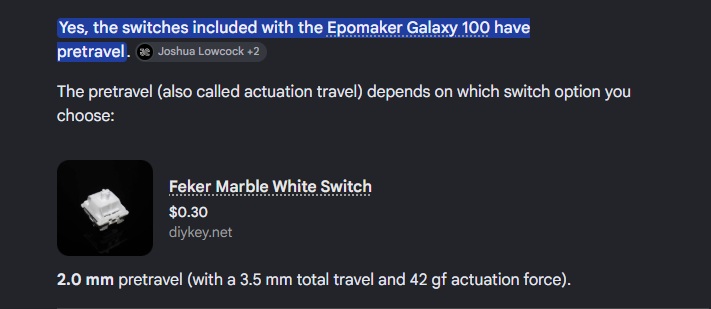
Hello if you want my honest opinion its not “chatter” but rather pretravel registering then again when you bottom out the keys and is due to your switches more then likely yours came preinstalled with FEKER White Marble Linear Switch and that switch has a 2mm pretravel. Meaning if you press the key down by 2mm it will register as a press, then again once you bottom out the key. If you dont like it your options are to swap the switches for different ones although most have pretravel just different amounts of travel before preregistering because the board is hot swappable youre able to put any MX style switch you want as yours supports both 3 and 5 pin in it or return the board and get one with different switches or a different kind such as membrane or magnetic/hall effect the only ones that dont have any pretravel though are hall effect and magnetic boards because you can change the actuation point. If you want more if a typing switch I recommend sea salt silents if your looking for more of a quiet key press or something like a MX Cherry Brown or Keychron K Pro Banana/Mint if you want something with a tactile feel but stay away from whites, they are loud and in my experience besides something like silvers have the lightest pretravel most mechanical boards are designed with gaming in mind so if youre looking for something more for typing I recommend saving up for a hall effect or magnetic board and set the actuation according to your personal feel. Also I am not sure where you purchased it but most places that retail mechanical keyboards shouldnt have an issue returning it as long as its in pristine shape and you didnt get it dirty or break something just explain to them this isnt the feel you like and want to save up for or want to try something else.

If its only a handful of switches, 5-10, its possible those are just bad switches. If its most of the switches it could be “chatter” and if theres an option to adjust Debounce in the VIA Gui you could try turning that up to 10, maybe a bit more. I have one board that frequently double presses by virtue of the switches in it (kailh speed navy) and turning debounce up to 10ms from the default 5 in QMK fixes it without noticeable input lag. If there is no option in VIA to change that, I would return it as Epomaker is known for not releasing QMK source (where it is an option you can adjust).

This isn’t really how pre-travel works. You’re correct that a 2mm pre-travel means the switch activates at 2mm, but it doesn’t register another press at bottom out. Once the switch is activated at 2mm, the contacts remain in touch (registering a single key press) until you release the key above 2mm of travel.

I think the more likely cause may be with the low spring weight; seems like the actuation force on the White Marble switches is only around 30g, which would generally be considered a very light switch. At least in my experience, with light switches, it’s very easy to press to actuation just resting my fingers on the home row. I’ve never had more typos than when I used Gateron Red linears on my first mech and switching to a heavier switch fixed the issue. It kind of sounds like when you’re deliberate about key presses (like during the chatter tests), the issue mostly goes away, again leading me to think it’s the light spring weight causing typos.

Edit: @Wopey54 if this doesn’t seem to match your issue, it’s entirely possible you have a PCB with some issues, though with PCB problems, you’ll often see other keys in the row or column trigger when you press a key.

2 Likes

I apologize if that isnt exactly how it works thats the way it was explained to me, I had a very similar issue with my corsair k70 mk 2 with cherry silvers where because they were so sensitive it would register twice a lot while typing and someone in a keyboard Discord said thats why maybe its cherry silvers that do that thank you for the correction I hope you have a blessed day year and life my friend was there anything else I got incorrect? I would like to be educated if I did, thanks again

It probably isn’t the switches

It is a very common fallacy to think it is the switches. It could be, but other causes are much more likely, for example, cold solder joints (an example, near “aren’t immune”). If increasing the key bounce time has an effect, it is a sign the problem is external to the switches (though bad switches do exist); the switches have been specified to 5 ms (maximum; they are usually much better than that).

That being said, it is always good to have extra switches, preferably of a different kind and from a different vendor, if nothing else for troubleshooting (to exclude some causes).

Here is an example for hot-swap sockets:

But speculation is not required: Isolate the problem using the checklist, starting with reseating (and only reseating). But note that with an intermittent problem, it is very easy to come to the wrong conclusion. At the very least, go back to the original configuration to see if it still fails.

Re “some of the keys pressed will register twice”: That is the definition of key chatter, no matter what the cause is (there are several possible causes), so yes, it is key chatter. It is an (observed) symptom, without saying anything about the cause (though some causes are more likely than others).

The Galaxy 100 has hot-swappable switches. Note that on some keyboards, it can be very hard to get the switches out (here is a technique (near “a sideways force”) I have found to be working reasonably well). For the same reason, to not have to repeat the ordeal, I remove the two plastic taps on the LED side of the switch; I have not observed any ill effects, other than the switches pops out too easily, e.g., when removing the keycaps for cleaning.

Here is a (recommended) repair video for hotswap sockets and similar PCB problems:

Note: If you attempt a DIY repair, do observe ESD precautions at all times. You have been warned.