After a whole month of research, design and development with the help of Claude Code, I am finally ready to talk to you about Nazg, a client that is aimed at being a substitute to commonly used VIA and Vial applications.
Here is the main driver behind this tool development described below.
I use both the VIA and Vial protocols and their clients, both as an ordinary user and as a keyboard PCB designer.
Although they are great tools overall, there are a few things I do not like about them.
The most annoying one is that I need two different protocols and apps to configure the keyboards I have on hand.
VIA and Vial also each have their strengths and weaknesses:
VIA keyboard definitions are not stored in the firmware:
This forces users to hunt for the right keyboard definition on vendor sites when VIA has no official support for it.
Vial has no such issue.
They do not support the same QMK features, and their implementations can differ: Vial supports a wider range of QMK features than VIA.
The latest VIA protocol allows custom UI elements linked to protocol extensions; Vial has yet to add this incredible feature.
VIA requires a web browser (its native application is deprecated):
Firefox users are left out, and must use Chrome, Edge or Opera.
Some people prefer native apps, and users should have the choice.
So here what Nazg really is in short:
It is an open source project under the GPL3 or later licence.
It is multi-protocol aware:
For the moment talks with your VIA or Vial keyboards.
Has the Leyden Jar Diagnostic Tool feature integrated in it (used for Model F and Beam Spring keyboards).
I am opened to add new extensions and/or protocols in the future.
It is multi-platform:
Windows.
Linux.
macOS (Apple silicon starting with M1).
Web for Chrome, Edge and Opera browsers.
I tried my best to have a nice and legible UI (well at least for me, please don’t try to be soft on me if you don’t agree )
All QMK keys/commands can be set in an easy and legible way (no more obscure hexadecimal values to enter).
Something specific to VIA:
It contains all official VIA keyboard definitions.
It also contains a community keyboard definition package of around 700 boards:
This is to reduce the pain of hunting the definition for your board as much as possible.
I do plan to update it regularly when new boards come up or by your request.
And you can also add you own user keyboard definitions.
Tested on the following platforms:
Windows version for both VIA and Vial.
Linux version by one user on a Keychron board.
Web version on Edge browser.
No one tested it yet on macOS Apple silicon.
Please don’t be shy and have a try, and don’t hesitate to send bug reports if you find issues.
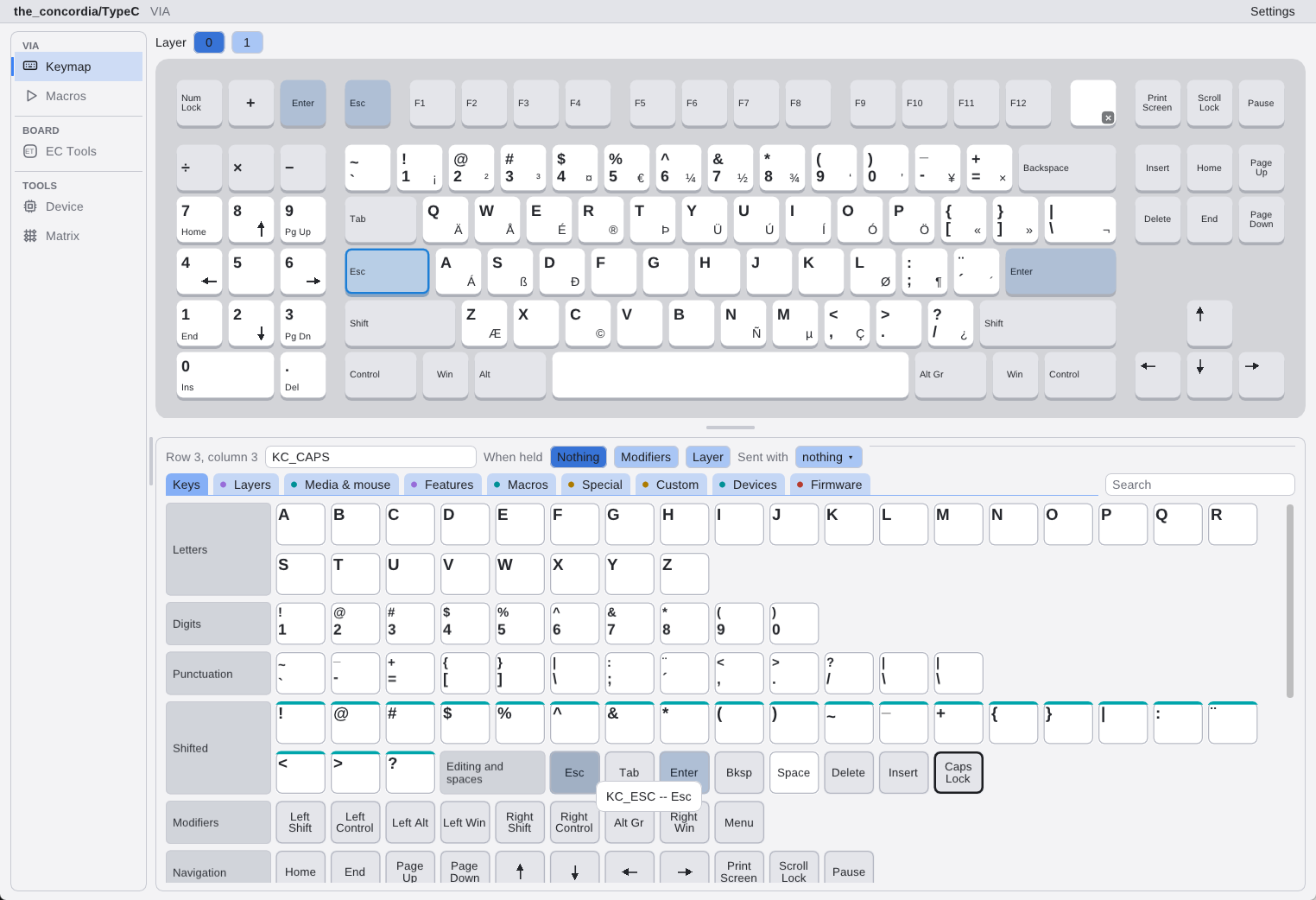
I love the style of if, for sure. I don’t used a ton of customization for most of my boards, so it’s been pretty easy to do anything I need. The most difficult thing I ever do is assign MT(MOD_LCTRL,KC_CAPS) to the caps lock. And that’s doable in about one click with Nazg, so I’m good with that!
It is odd seeing the basic keyboard letters in alphabetical order instead of in qwerty layout like in VIA or VIAL.
Also, after I’ve programmed a board, I usually want to make sure my settings are working for layers. I generally still have SwitchHitter running to test everything (yes, I’m old, folks. But it still works very well). Is there a way in Nazg to test input? I see a matrix tester, but not anything that shows programmed layer outputs. (for instance, in via, I usually test with the full key tester (100% layout gui with “TEST MATRIX” unchecked) at the end of my programming to see that my layers are programmed to output things like the F keys and the Nav cluster.
It would help to show which definition file and version was loaded, especially when both a community definition and a user definition match a board. That could make mismatches easier to troubleshoot.
Re “VIA … its native application is deprecated”: It isn’t really native
It is a Chromium browser in disguise. And it is still dependent on the Via web application (at usavia.app) to be up and running (try, for example, Ctrl + Shift + I, select the “Network” tab (4th tab), and Ctrl + R).
If it is truly native, I am definitely going to give it a try (and hopefully be able to ditch the so-called native Via application). I am on LMDE 7 (Cinnamon) and sometimes Ubuntu (GNOME), with an embarrassingly number of Keychron keyboards. And an AEKII repurposed with QMK and Arduino Micro, not to be confused with Pro Micro with its too few I/O pins (though a few keys with missed keystrokes is currently a showstopper).
Another alternative is Vitaly (more for automation purposes).
Very nice. I like the keyboard layout vs alphabetical and the ability to see the keyboard keys instead of just testing the switch is exactly what I needed
Here is a new release of Nazg with new improvements in it based on users feedback here !
@camilaferreira, you will find an improvement in this release that is based on your previous feedback;)
Which definition draws your board. Hover a VIA board’s name, or the protocol beside it:
the definition’s name, where it comes from, its file and version (the VIA or community bundle it
is from, or when you imported it), whether you chose it or it is the only match, and how many
other definitions match the board. Change definition… shows the file and version of each.
The SDL GPU backend requiring Vulkan is a likely stumbling block: on older Intel GPUs or VMs the AppImage may quit silently. A startup check with a clear error dialog (or, if practical, an OpenGL fallback) would make that much easier to diagnose, especially for LMDE/Cinnamon users.
the VIAL unlock progress bar should be more visible and present
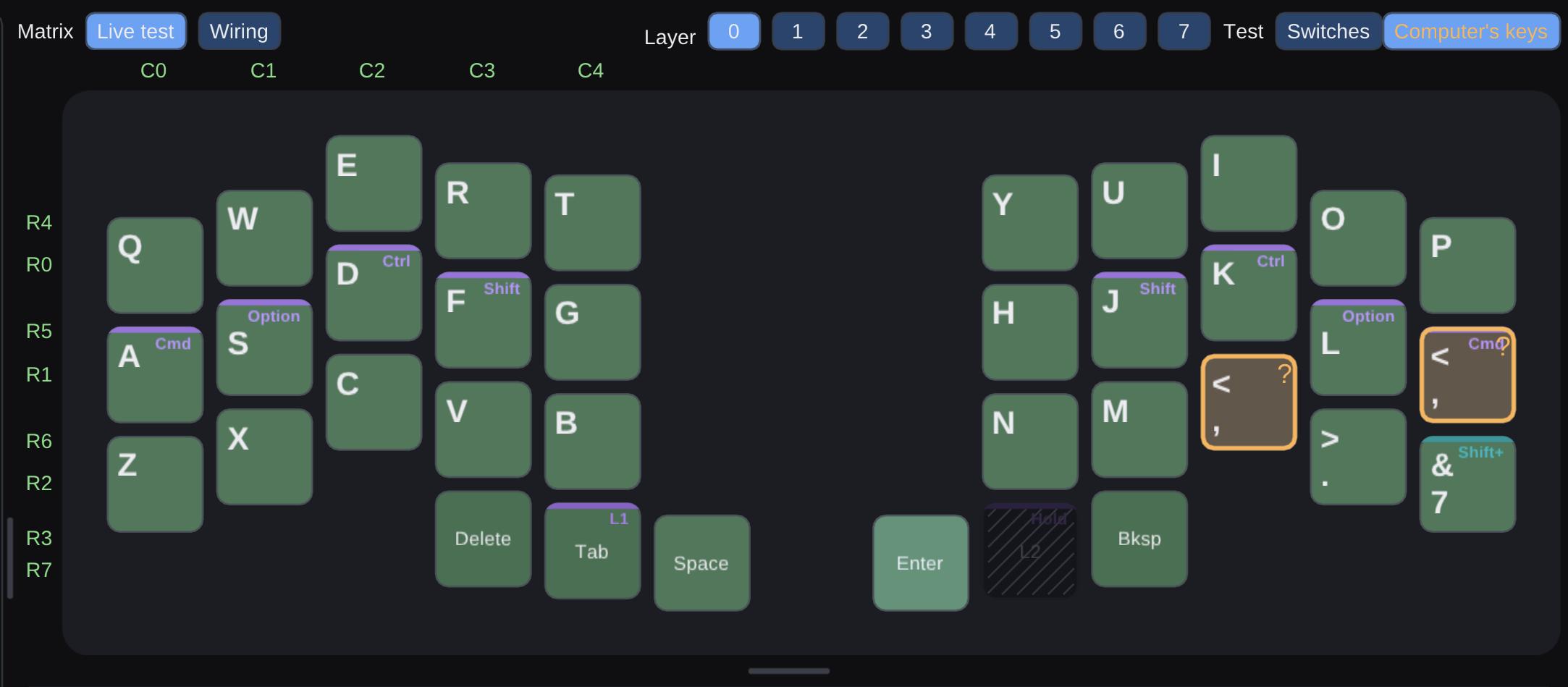
for matrix test, making the Switch test default would be better imho, sending computer Keycodes can get confusing (see the above screenshot)
really like the wiring overview for the matrix, could also be some substantial help if rebuilding handwires with a already present firmware
Im missing the host layout in the menu bar like in VIAL, maybe even with a color change like VIAL does
international QMK keycodes don’t seem to be recognized/if combined with a modifier like the 7 in my keymap, it would be great to show the resulting key
showing the full correct international keys on the layout selector on the bottom is great
the Icon is, sorry for being harsh, atrocious
I just recently switched back to QMK on two of my main boards, so I will probably test some more and maybe find more stuff, especially 40s related
Thank you very much for your feedback (even if you hate the icon )!
I did most of the modifications you asked for, this will be available in a future release that I will advertise here
For the two things I could not fix yet, here are questions generated by Claude:
About the blurriness: I went through how Nazg draws on a Retina screen and couldn’t find anything wrong, so I suspect it comes from the display setup. Could you tell me:
Which screen is Nazg on: the Mac’s built-in display, or an external monitor? If external, which model and resolution?
Which resolution is selected in System Settings → Displays: “Default”, “More Space”, or another “looks like” size?
If you have a minute: does Nazg in Chrome ( Nazg ) look as blurry on the same screen? It draws through the browser, so comparing the two would tell me whether the macOS app is the cause.
Rico feedback: could you provide an image of the board were we don’t see the JPEG compression, either a PNG or a higher quality JPEG ?
And about Orion: when you opened the web app there, what did the page show? Stuck on “Loading Nazg…”, blank, an empty keyboard list, or a message?




 )!