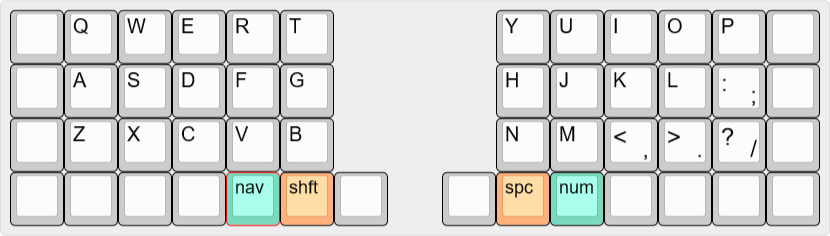
I copied a friend’s layout and I do shift on my left thumb (below B). Before that, I almost exclusively used left shift.
If you use a 40% keyboard, I strongly recommend this. Heck, if you have a split spacebar at all, I recommend this. I do still have an extra shift key to the left of Z that I use for certain keyboard shortcuts, but I find thumb-shifting incredibly comfortable for typing prose and code. I actually only have 1 layer for numbers/symbols because I can hold shift with my left thumb to quickly modify them.
3 Likes
I use both shifts as Mavis Beacon taught me to in '96, damnit!
5 Likes
My feet are too big to heel toe. 
2 Likes
I see from the replies: most people mostly use left Shift, because the right one is too far away.
That’s really bad for users of ISO keyboards, because then the left Shift is also far away!
My solution to the latter problem was to use CAPS as an additional left Shift key. (Additional because of muscle memory to press left Shift+Ctrl with the same finger in many shortcuts.)
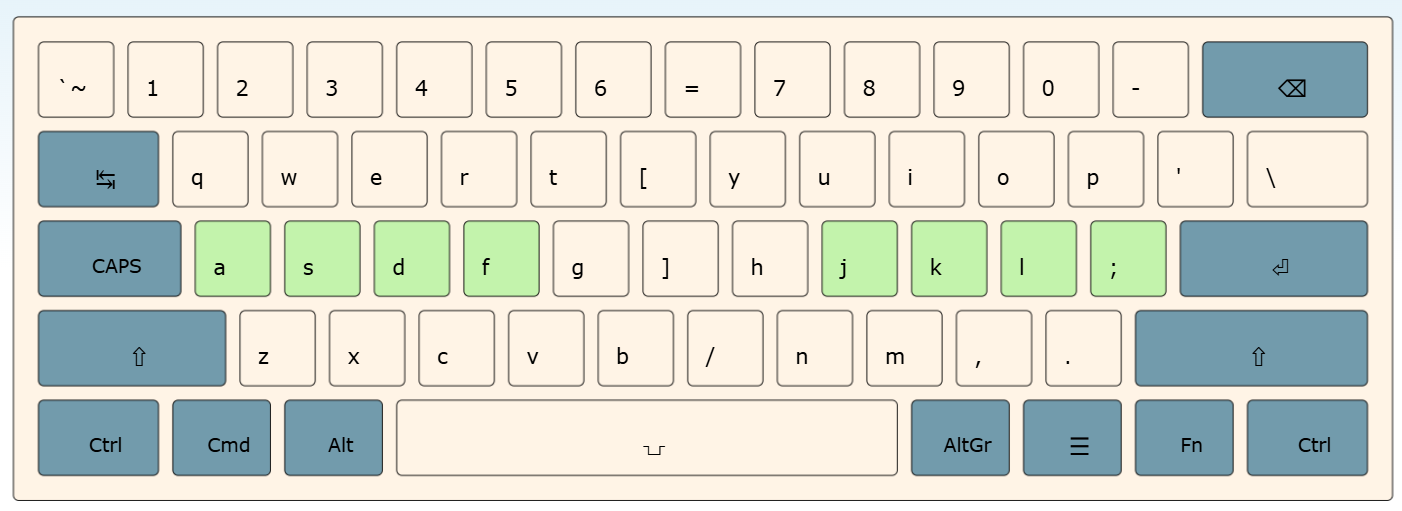
And there’s also a super elegant solution for the right side, especially if your keyboard happens to be programmable:
This key arrangement is an idea of the Colemak community, but it works with any lettering, including classic qwerty. It not only makes the Shift keys both equally easy to reach, but makes the whole keyboard more ergonomic.
And I even did this mod to my laptop keyboard, the one I showed in my intro post:
The man with the two thumbs
Anyway, if you want to try this and don’t have a programmable keyboard (and happen to use Windows), you can grab my custom “Microsoft Keyboard Layout” here: GitHub - matey-jack/wide-ergonomic-keyboard-layouts: Type faster and more comfortably, just by changing your keyboard layout. · GitHub
I used this myself for many years before switching to a programmable keyboard. (Although I used a German-alphabet variant which isn’t in that repo.) Let me know if you should try this and it works for you. 
Today, I use a split ortho keyboard and still shift with my pinkies, but use the “caps position” (outside home-row) on both sides.
I’ve been in the keymap modding community for so long, no wonder that my first post mentions a keymap mod 
3 Likes
This is really cool problem solving. If I used this solution for myself, one detail I would consider changing is to keep all keys in the same row when rearranging. Otherwise it creates issues with sculpted keycaps.
I get that you want to keep left and right bracket together, but I think it could also work, as far as ergonomic intuitiveness goes, to leave the right bracket in its normal spot; left bracket would be the leftmost key in that row for the right hand, and the right bracket would be the rightmost key. For my brain, this kinda works.
And then you could keep the apostrophe key in its row as well.
2 Likes
Usually scrolling my phone or reading a magazine. Oh wait you said “Shift”
6 Likes