It took awhile and many hmms but I can now appreciate why conventional 2U Backspace key is more usable than Tsangan 1.5U Backspace. Uglier layout for sure. Hit-and-miss ratio is clear despite years of use.
Checked my supply of stabs to make sure I have enough 2U stabs to cover all the boards. Yup. It’s going to be a long march back.
2mm Aluminum PCB + Aluminum Plate + Cork Foam. This high-rigidity stack resists flex for absolute structural stability.
Gosh. If only there were an inexpensive and sturdy metal that had been used for flex-resistant keyboard plates for literally decades…
Withholding judgment on whether it is actually a nice board or not, the marketing wank is a bit intense on this one. I’m also a bit fuzzy on how they intend you to mount their super rigid assembly in the Zoom64 case, which usually needs a plate with tabs that are conspicuously missing from the promo renders, but there on the video.
Ohhhh yeah. Though I did finally think of a potential use case!
So, magnetic switches are the FOTM right now, but they’re all linear, which sucks for tactile-lovers like me. And there’s no real way to put feedback in without a contact point.
OR IS THERE??
Basically my idea would be to have, in addition to the Hall effect sensor, a solenoid underneath the magnet. Using that, one could both push or pull the magnet itself, which could be used to produce a tactile bump.
The Aluminum core PCB would come in because you’d be putting a coil under every key and because we’re doing actual physical work here, the power costs will start to add up and generate heat. Especially if user’s typing speed is high.
(Really dumb ideas when I should be working or responding to other posts…>_>)
Those 3dp Void switches use multiple magnets, and the force of separating them as a tactile event. Theres also a tactile version of Gaterons Magnetic Jade that uses the ol’ stem bump and a leaf. Glorious has a HE version of Panda that uses the outemu snapspring (similar/same as the clicky gtmx switch) and then, theres the peculiarity that I find most intriguing, the Raptor HE. Which is a clickbar HE clicky. But yes, I agree, the magnetic market is indeed overwhelming linears. I assume due to the target demographic being gamers.
I think it has a lot to do with one of the main use cases of HE being variable actuation point. Tactile events exist specifically so a keyboard operator knows when they’ve actuated the switch, or at a minimum (e.g. Box clickies) it sets a bound some small distance past actuation but before bottoming out. The relationship between a tactile event and actuation is supposed to be fixed, or else what’s the point of having one at all? If a HE user is relying on tactility, they’re not relying on muscle memory or 1337 skillz.
Thats actually interesting you mention Box clickies. Part of what intrigues me about the Raptor HE is my experience using clickbar switches for a few years and finding that the correlation between the tactile event and actuation is inconsistent or not always where I would want or expect it to be. So my thinking is that being able to adjust actuation point in software would make it so you could fine tune tactile bump (clickbar bend) and actuation to your personal preference. It also seems like it could work well with some of the current trending tactile switches where the bump is most of the travel.
Okay that’s a legitimately interesting use case I hadn’t considered, mapping the HE actuation to the physical tactile event. It also makes me wonder how many HE users are playing with their settings versus fine tuning once and then never changing.
The slight difference between actuation and click is largely academic for me, as I find the idea of not bottoming out to be a deeply unwelcome added cognitive load on my typing. I am a deeply lazy man.
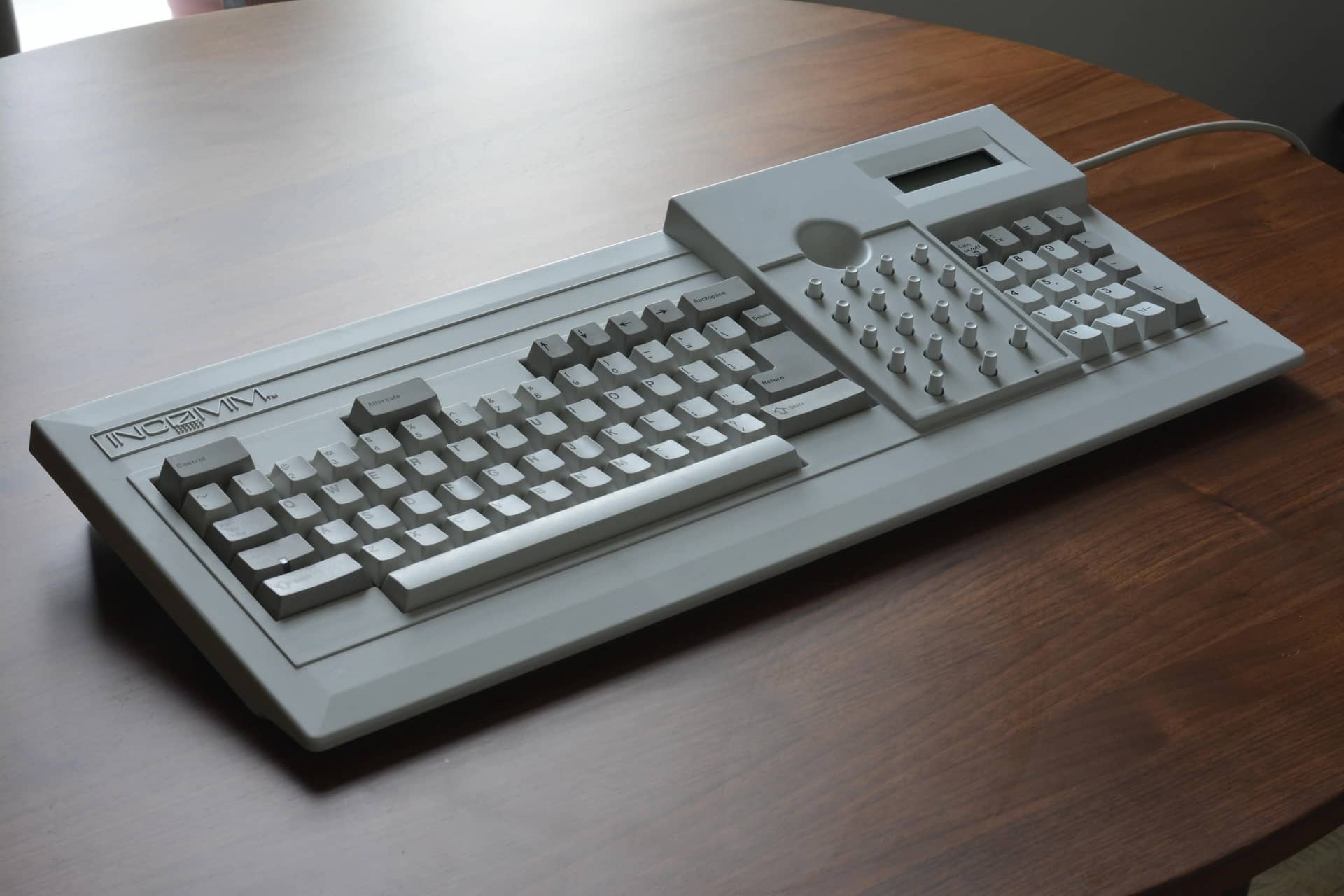
Seems like it’s more Cherry Black, with the key-”caps” being the unique part. I assume the raised housing is structural, to reduce wobble a bit. IIRC, that area would get overlays like the old WordPerfect cards, except it was cult stuff, and the divot was to facilitate placing and removing them. There are some teardown photos in the owner’s IG post.
I built up my Merisiworks 500CM today. I’ll get some pics when I decide on keycaps. After I finished it, I noticed the space bar felt off. I thought the switch was scratchy so I swapped it out. Nope, it was the stabilizers making a slight bit of friction. Seemed to happen to some degree with any space bar I used, any brand/profile.
So before I resorted to rebuilding it, I tried the old “loosen up the stabilizer screws a bit” trick. I never torque them down, in fact, I usually just barely tighten them. I backed them off about 1/8 a turn, enough to allow them to slightly wiggle with force.
It worked! Space bar is a dream now. I believe I’ve said it before, but I’ll echo the idea again. If you find yourself saying “hmmm… what’s wrong with that space bar?,” maybe just try loosening the screws a bit. (Not sure what you would do if they are clip in )
Damnit, I just got a bill for tariff/import fees from a recent purchase from Mino keys. I thought “hmm…. Wait a bit. Didn’t the Supreme Court rule tariffs to be illegal? “. Yep, they did on Feb 20th. Guess when I was charged tariff fees? feb 19th.


 )
)