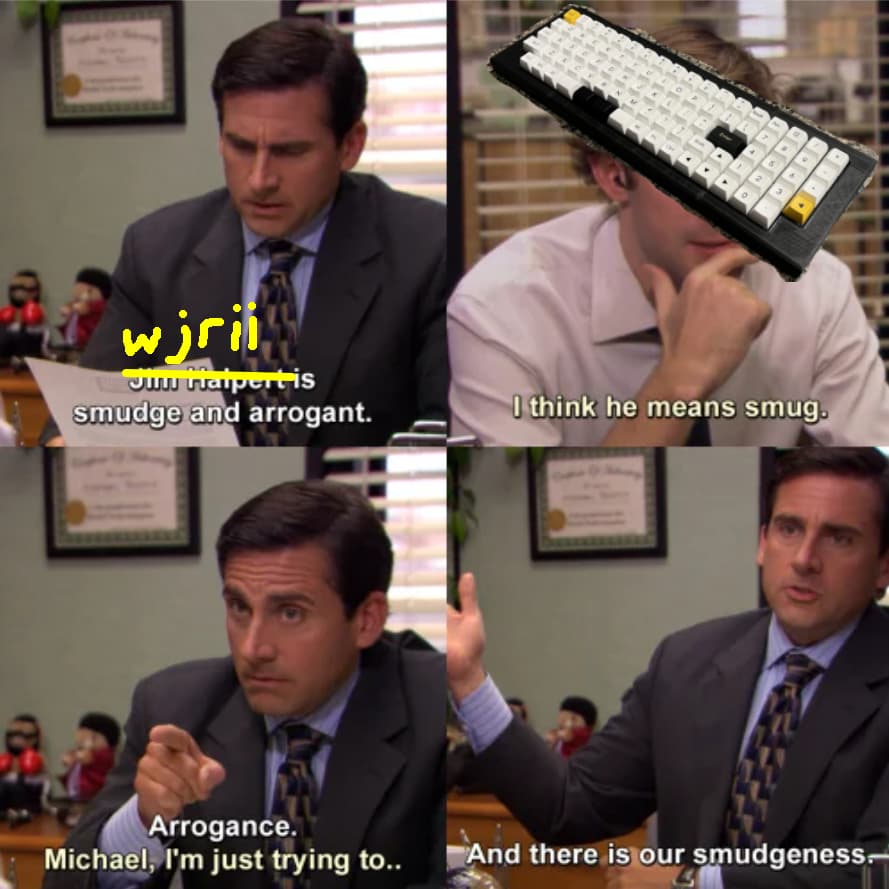
But if I didn’t have noisy stabs, what would I whine about??? 
Anyone know anything about this board featured in the FutureFunk buy page? GMK Future Funk R2 – CannonKeys
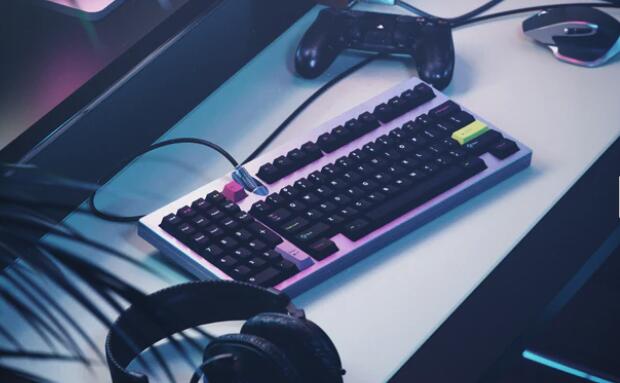
Oh yea I remember seeing that board in the GH post, so cool looking having the connector be on top where you can see it.
People on the IG saying it’s only a render. It would certainly go great with some rock-n-roll friendly keycaps.
Yea that’s also what I kinda remembered about the board. That it was just a render idea and not any real concept board with a name.
That is the conclusion I was coming to as well. Huh well maybe now it will become a reality with some buzz. 
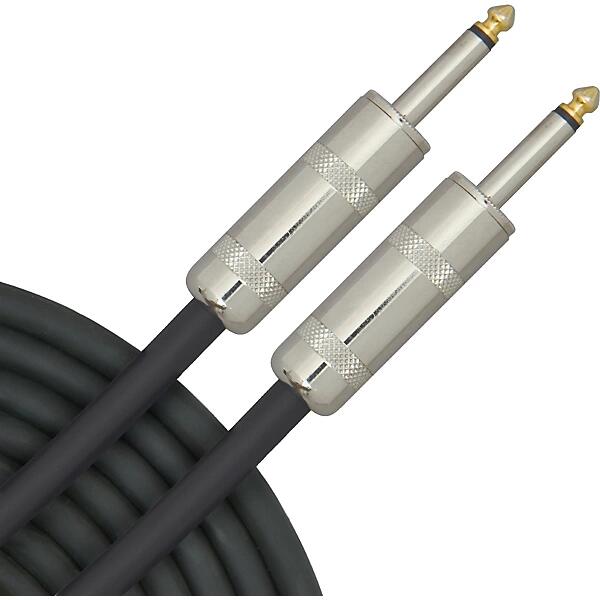
Might even be feasible, you’d need a TRRS jack and connector to support the four pins on USB. Not sure if that would cause any data issues in that arrangement, but they make TRS to USB audio adapters so maybe?
Can’t imagine you could do it for cheap though. It would be such a specialty one-off cable.
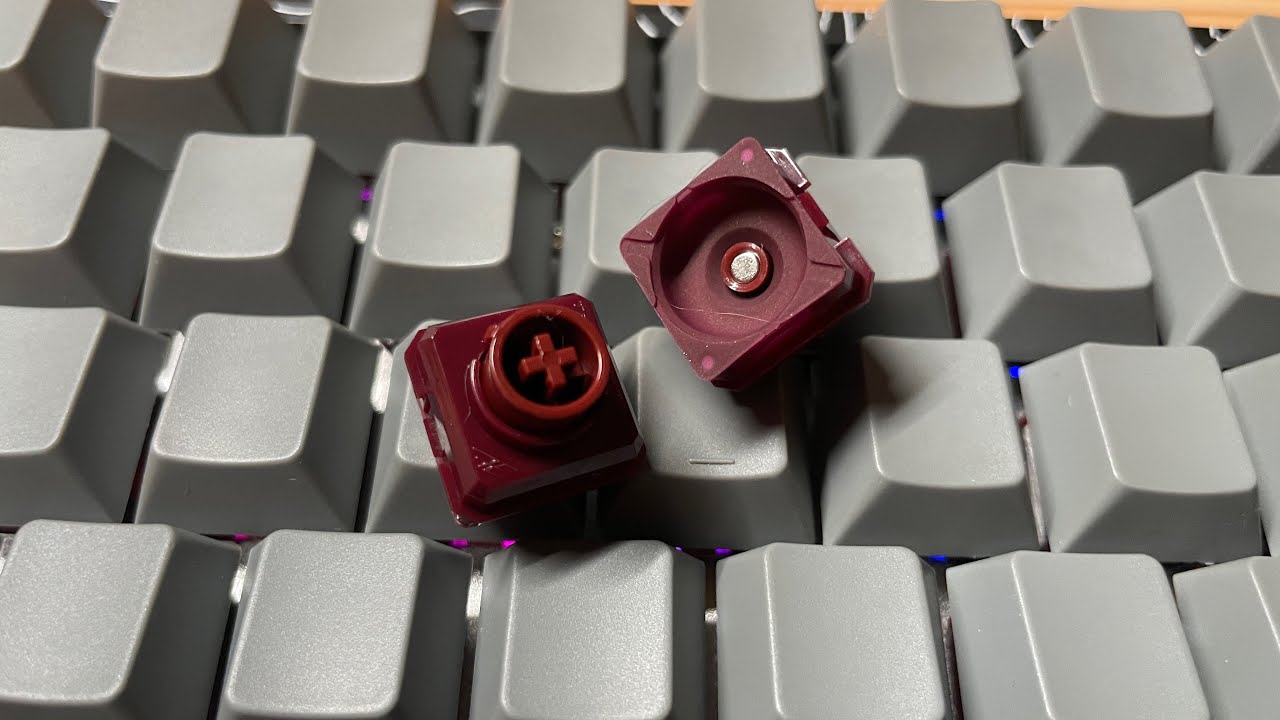
Naevies EC in the wild. There is a good up close photo of the switches. He gives his impression in a reply in the comments of the YouTube vid.
Ouuu thanks for the link, yea I just got mine in yesterday (Omnitype shipped them out super fast lol). Just gonna wait on that CannonKey’s EC plate since I have a really cool build idea in mind and I am hoping it all works.
Something to note that I didn’t know before. I guess to keep these switches in contact with the PCB (since the domes don’t independently lay on the PCB themselves and are attached to the switch housing) the plate and PCB assembly requires about double the standoffs and connecting screws (see the Satellite build guide in the link). The PCB and plate have to be purposely crafted for these switches. Just make sure that whatever you buy supports this. Cipulot did design the PCB for the Satellite so it stands to reason that he could be tasked with creating universal PCB’s for these switches.
Oh wow, this is pretty awesome! I would love to rebuild my constellation if they offer PCB/plates for these switches.
Satellite EC Upgrade Kit – Keyboard Treehouse They in fact do, LightningXI linked it in his build guide. The upgrade kit includes the PCB, correct plate, and the switches.
Nifty!
I am absolutely intrigued by these AEBoards developments.
So the Naevies EC are tactile domes, and require an EC PCB as the name implies.
Whereas the Raed HE are linear domes that require an HE PCB.
I don’t even know where to get an EC setup for the Naevies, but doesn’t the new KBDFans Tiger Lite have a Venom HE PCB option?
That means an HE set-up could be relatively quick and affordable. I also like the sound of the stock Raed HE domes.
Are both variants only available in 45 G right now? Would love 35 G domes. And I’m not sure - does anyone know if tactile domes will become available for the HE variant?
EDIT: Found more information.
Naevy R1 will have 45g dome. We will grab interest for dome kits as well, available in 35g/55g, but for this first run we’ll stick with one SKU and then expand with domes later on.
Raed Works out of the box for HE boards (same flux as Gateron Jades). Tested and working using WootingHE PCB
Uses rubber dome, interchangeable with our tactile EC domes for a unique tactile HE experience

R1 will have 45g dome

Curves here are going to be rubber dome experience but a little bit more linear. (Goat got the prototypes with tactility so the curves will change based on his information)
So, 35 G domes may become available later, if the initial run succeeds.
The Raed domes will feel more linear than typical rubber-domes. I wonder if that means they will resemble Niz somewhat, which some see as being more linear.
It would be convenient if you could buy the Raed domes that were like the prototypes, using tactile domes. Would buy some 35 G tactile Raeds right now.
I just found out that somehow, my phone is able to AirPlay to my AppleTV without wifi or bluetooth on. I don’t understand how that’s possible. My other family members can do this as well.
It certainly isn’t mentioned anywhere that I gave permission for my AppleTV to create some peer to peer network. 
I thought maybe it was somehow still connecting to wifi without showing me, but I removed the network and it still AirPlayed. How is that even possible? Airplay over cellular? Who gets to airplay to my AppleTV then? I’m so confused. It always used to require Wifi. I know for sure I would try to airplay and it didnt’ come up as an option because I wasn’t on wifi. So weird.
So, after consulting AI and doing all kinds of test (removing devices from network, turning things off, etc…), my best answer is that with the newest updates of iOS and AppleTV software, both devices use a low power mesh connection to do things like share passwords to devices. It appears that they also allow AirPlay over this connection as well.
I think it’s most healthy to try and consult proper resources when searching for answers, not AI.
Well, I googled “AirPlay without wifi” and searched results for about 10 minutes that lead no nowhere. I found a few articles saying it was possible to initiate airplay with bluetooth. So I googled “AirPlay without wifi or bluetooth.” Then I sifted through the exact same results for another few minutes.
I got on a call with my brother-in-law, who is the only one I know who knows more about network connectivity than I do. He was perplexed as well. We both assumed the phone was actually connecting to WiFi and hiding it. But that wasn’t the case.
Finally, he asked chatGPT
If AirPlay is still working even with both Bluetooth and Wi-Fi turned off on your iPhone and Apple TV, then one of the following scenarios is likely happening:
-
Cached / Buffered Content If you were streaming a video from your iPhone to the Apple TV (e.g., from YouTube, Apple TV+, or Netflix), the Apple TV may have already buffered a portion of the video. In this case, even after turning off Wi-Fi and Bluetooth, playback continues for a while because the Apple TV has downloaded part of the content. This happens especially with AirPlay handoff, where Apple TV streams directly from the internet after the initial AirPlay request.
-
Direct Wi-Fi Connection Still Active Turning off Wi-Fi on your iPhone does not immediately disconnect existing direct connections. Apple TV and iPhone use Wi-Fi Direct for peer-to-peer AirPlay, which remains active even if you disable Wi-Fi in Control Center. You would need to completely turn off Wi-Fi in Settings or restart both devices to truly cut the connection.
-
AirPlay Mirroring Behavior If you were mirroring your iPhone screen, the Apple TV might still be receiving frames from your phone’s internal buffer. However, as soon as the buffer is exhausted, the stream will stop.
-
Apple Ecosystem Optimizations Apple’s ecosystem sometimes maintains low-power background connections even when Wi-Fi/Bluetooth appears off. This can happen with AirPlay Handoff or Apple’s Auto Join network features. Test to Confirm To verify: Completely disable Wi-Fi: Go to Settings > Wi-Fi > Turn Off (instead of just using Control Center). Forget Networks: Ensure your Apple TV isn’t connected to a network. Disable Bluetooth in Settings: Settings > Bluetooth > Turn Off. Restart both devices.
If AirPlay still works, it suggests either a software quirk or a background Apple network feature still in play. Otherwise, the connection should eventually drop.